

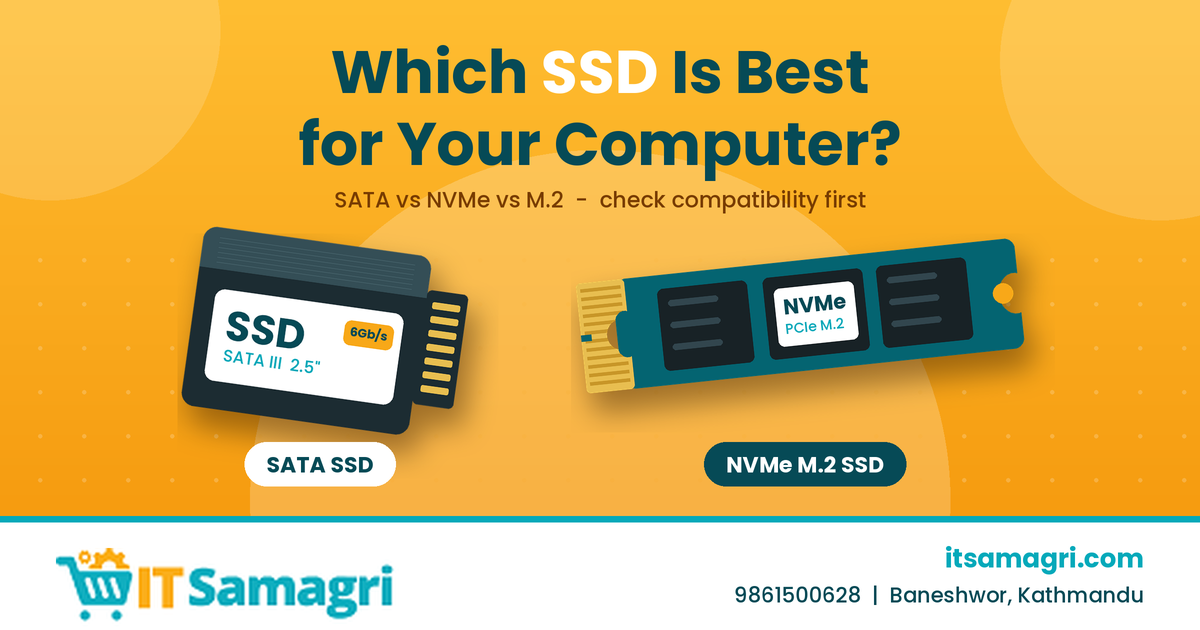
Which SSD Is Best for Your Computer?
Upgrading from a traditional hard drive to an SSD (Solid
State Drive) is one of the easiest ways to improve your computer's
performance. Faster startup, quicker application loading, and smoother file
transfers are just some of the benefits.
But with SATA, NVMe, M.2, and different storage capacities
available, which SSD is best for your computer?
1. SATA SSD – A Great Upgrade for Older Computers
A 2.5-inch SATA SSD is a practical choice for many
older laptops and desktops.
It is much faster than a traditional HDD and can provide a
noticeable performance improvement without requiring a modern motherboard.
Best for: Older laptops, desktops, office computers, and basic everyday use.
2. NVMe SSD – For Faster Performance
NVMe SSDs use the PCIe interface and can provide
significantly higher performance than SATA SSDs.
They are a good option for modern computers used for
programming, gaming, video editing, and demanding applications.
Best for: Modern laptops, desktops, gaming PCs, and professional workloads.
3. M.2 SSD – Check Compatibility First
M.2 describes the physical form factor, not necessarily the
SSD's performance.
An M.2 SSD can use either SATA or NVMe, so you should
check what your laptop or motherboard supports before buying.
4. How Much Storage Do You Need?
Choose the capacity based on how you use your computer:
- 256GB: Basic use and budget upgrades
- 500GB/512GB: Good for office work, study,
and everyday computing
- 1TB: Suitable for gaming,
programming, and larger applications
- 2TB+: Useful for video editing, large
projects, and extensive storage needs
For many users, 500GB–1TB provides a good balance
between capacity and cost.
5. Which SSD Is Right for You?
|
User |
Suitable SSD |
|
Older laptop |
2.5-inch SATA SSD |
|
Office computer |
SATA or NVMe |
|
Modern laptop |
NVMe M.2 |
|
Gaming PC |
High-performance NVMe |
|
Programmer |
500GB–1TB NVMe |
|
Video editor |
1TB+ high-performance NVMe |
The most important thing is compatibility. A
high-performance SSD is not useful if your computer does not support its
interface.
Final Thoughts
There isn't one SSD that is best for every computer. The
right choice depends on your computer's compatibility, storage requirements,
performance needs, and budget.
Before purchasing, check your laptop or motherboard
specifications to determine whether it supports SATA, M.2 SATA, or NVMe.
Looking for the Right SSD?
Whether you need an SSD for a laptop, desktop, gaming PC,
office computer, or programming setup, Itsamagri can help you explore
suitable IT products.
📞 Contact: 9861500628
📍 Location: Baneshwor, Buddhanagar, Kathmandu,
Nepal
🌐 Website: itsamagri.com
Upgrade your storage. Improve your speed. Choose the SSD that fits your computer and your needs.