

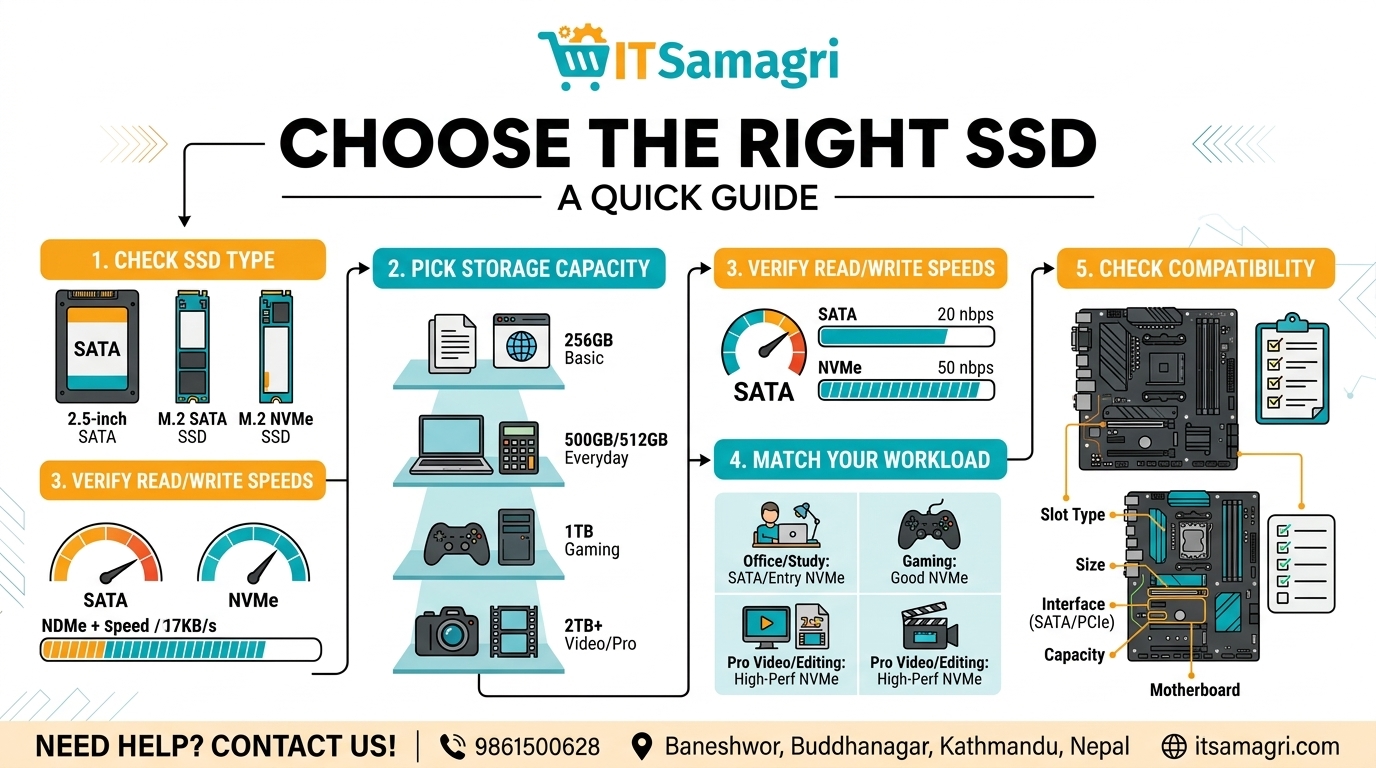
How to Choose the Right SSD for Your Computer
Upgrading to an SSD (Solid State Drive) is one of the easiest ways
to make your computer faster. An SSD can improve boot time, application
loading, file transfers, and overall system performance.
But with different types, capacities, and speeds available, how do you
choose the right SSD?
1. Choose the Right SSD Type
The first step is checking which SSD your computer supports.
- 2.5-inch
SATA SSD: Common in older desktops and laptops.
- M.2 SATA
SSD: Compact and suitable for compatible devices.
- M.2 NVMe
SSD: Uses PCIe technology and generally offers much faster performance.
Always check your motherboard or laptop specifications before purchasing.
2. Choose the Right Storage Capacity
Your storage needs depend on how you use your computer.
- 256GB: Basic use
and budget upgrades
- 500GB/512GB: Good for
everyday use, office work, and study
- 1TB: Suitable
for gaming, programming, and larger applications
- 2TB+: Useful for
video editing, large projects, and extensive file storage
For most users, 500GB–1TB offers a practical balance between storage
and cost.
3. Check Read and Write Speeds
SSD speed affects how quickly your computer can load applications and
transfer files. NVMe SSDs generally offer significantly higher speeds than SATA
SSDs.
However, don't choose based on speed alone. Your computer must support the
SSD's interface to benefit from its performance.
4. Consider Your Workload
Different users have different requirements.
For office and study: A SATA or entry-level NVMe SSD
can be sufficient.
For gaming: Consider a good NVMe SSD with enough
capacity for your game library.
For video editing and professional work: A
higher-performance NVMe SSD with larger capacity may be more suitable.
5. Check Compatibility
Before buying an SSD, check:
- Supported
SSD type
- M.2 slot
and size
- SATA or
PCIe interface
- Maximum
supported capacity
- Laptop or
motherboard compatibility
This step can prevent buying an SSD that your computer cannot use.
Final Thoughts
The right SSD depends on your computer's compatibility, storage
requirements, performance needs, and budget. For many users, a 500GB or
1TB NVMe SSD can provide an excellent balance of speed and storage—provided
the computer supports NVMe.
Need help choosing the right SSD for your computer?
📞 Contact: 9861500628
📍 Location:
Baneshwor, Buddhanagar, Kathmandu, Nepal
🌐 Website:
itsamagri.com
Upgrade your storage, improve your speed, and get more out of your computer with the right SSD.