

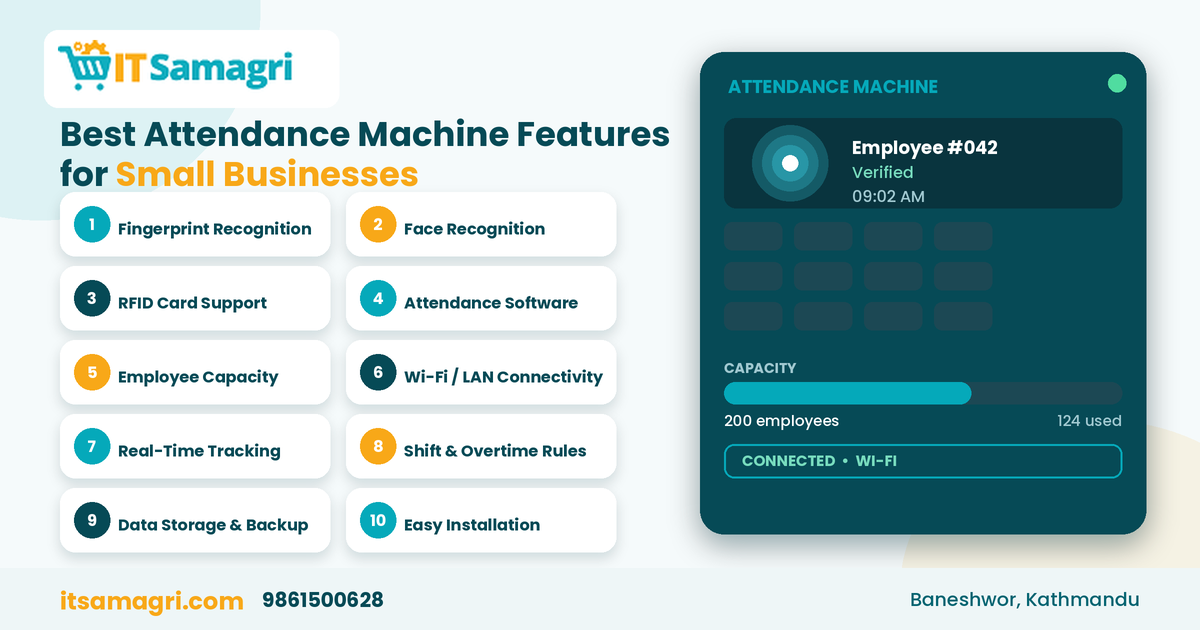
Best Attendance Machine Features for Small Businesses
Managing employee attendance is an important part of running
a small business. Whether you operate a retail shop, office, school, or growing
company, keeping track of employee working hours can become difficult when
attendance is recorded manually.
An attendance machine helps businesses record employee
check-in and check-out times, reduce manual work, and maintain organized
attendance records.
But with so many options available, which features should you
look for when choosing an attendance machine for your small business?
Let's explore the most important features.
1. Fingerprint Recognition
A fingerprint attendance machine allows employees to record
their attendance using their fingerprints.
It can help reduce attendance errors associated with manual
registers and make daily check-in and check-out easier.
Best for: Small offices, retail shops, and businesses looking for a
straightforward biometric attendance system.
2. Face Recognition Technology
Face recognition attendance machines identify employees using
facial recognition technology.
Employees can record attendance without touching the device,
making it a convenient option for busy workplaces.
Best for: Offices, schools, and businesses that prefer touch-free attendance
recording.
3. RFID Card Support
RFID attendance machines allow employees to check in and out
using an access card or key fob.
This can be useful for businesses that want a simple
attendance system without biometric registration.
Best for: Small offices, shops, and organizations that already use employee ID
cards.
4. Attendance Management Software
A good attendance machine should work with suitable
attendance management software.
The software can help businesses:
- View
daily attendance records
- Track
late arrivals and early departures
- Calculate
working hours
- Generate
attendance reports
- Manage
employee attendance data
This feature is particularly useful for businesses that want
to reduce manual attendance calculations.
5. Employee Capacity
Before purchasing an attendance machine, check how many
employees it can register.
A small business with 10–20 employees may have different
requirements from a growing company with 50 or more employees.
Choose a machine with enough employee capacity to support
your current workforce and expected growth.
6. Wi-Fi or LAN Connectivity
Network connectivity can make attendance data transfer
easier.
Depending on the model, a machine may support:
- Wi-Fi
connectivity
- LAN/Ethernet
connection
- USB
data transfer
A network-connected machine can help administrators access
attendance records through compatible software without manually collecting data
every day.
7. Real-Time Attendance Tracking
Some attendance systems support real-time attendance
monitoring.
This allows administrators to view employee check-in and
check-out records as they are recorded, depending on the device and software
configuration.
It can be especially useful for businesses with multiple
employees or different work shifts.
8. Shift and Overtime Management
If your business operates with different working hours, shift
management is an important feature.
Attendance software may allow you to configure:
- Office
working hours
- Different
employee shifts
- Late
arrival rules
- Early
departure
- Overtime
- Weekly
holidays
These features can make attendance management more organized
and help simplify payroll preparation.
9. Data Storage and Backup
An attendance machine should have sufficient storage for
employee records and attendance logs.
Some devices store attendance data internally, while others
support USB export or network-based data transfer.
Regularly backing up attendance records can help protect
important employee data and prevent unnecessary data loss.
10. Easy Installation and User-Friendly Interface
A small business may not have a dedicated IT team to manage
its attendance system.
Therefore, choose a machine with a simple interface, easy
employee registration, and straightforward reporting features.
Also, consider whether installation, software configuration,
and technical support are available.
Which Attendance Machine Is Suitable for Your Small Business?
The right attendance machine depends on your employee count,
budget, and workplace requirements.
|
Business Type |
Suitable Option |
|
Small office |
Fingerprint attendance machine |
|
Retail shop |
Fingerprint or RFID machine |
|
Office with 10–50 employees |
Fingerprint or face recognition machine |
|
Busy workplace |
Face recognition machine |
|
Business using ID cards |
RFID attendance machine |
|
Multiple office locations |
Network-connected attendance system |
These are general suggestions. The actual choice depends on
the machine's features and compatibility with your attendance software.
Why Choose an Attendance Machine for Your Business?
An attendance machine can help small businesses:
- Reduce
manual attendance recording
- Maintain
organized employee records
- Track
working hours more efficiently
- Simplify
attendance reporting
- Support
payroll preparation
- Improve
attendance management
However, an attendance machine should be selected carefully
to ensure it fits your business's actual needs.
Get the Right Attendance Machine From IT Samagri
Looking for a reliable biometric attendance machine for
your office or business in Kathmandu?
At IT Samagri, you can explore IT equipment and
business solutions suitable for offices, shops, schools, and other
organizations.
Whether you need a fingerprint attendance machine, face
recognition system, or RFID-based attendance device, consider your employee
count, software requirements, and budget before choosing the right model.
Contact IT Samagri
📞 Call: 9861500628
📍 Location: Baneshwor, Kathmandu
Make employee attendance management easier with the right attendance machine from IT Samagri.